
Claude Code Plan Mode Cost 36% More on a Small Task
Claude Code plan mode reads and proposes before it edits. How to turn it on in 2026, what still runs, and our test of when planning pays off.
The costly mistake with Claude Code plan mode is treating it as a ritual. People turn it on for every change because a video said to, then pay for a plan they never read. On a small, clear task we ran both ways, the plan route cost 36% more and finished in about the same time. Use plan mode when you will actually change the plan. Skip it when you could describe the change in one line.
Plan mode tells Claude to research and propose changes without making them. It's one of six permission modes in Claude Code, and a lot of what's written about it is now out of date. Every figure below links to where it came from.
Inside This Post
6 sections
What Plan Mode Actually Does
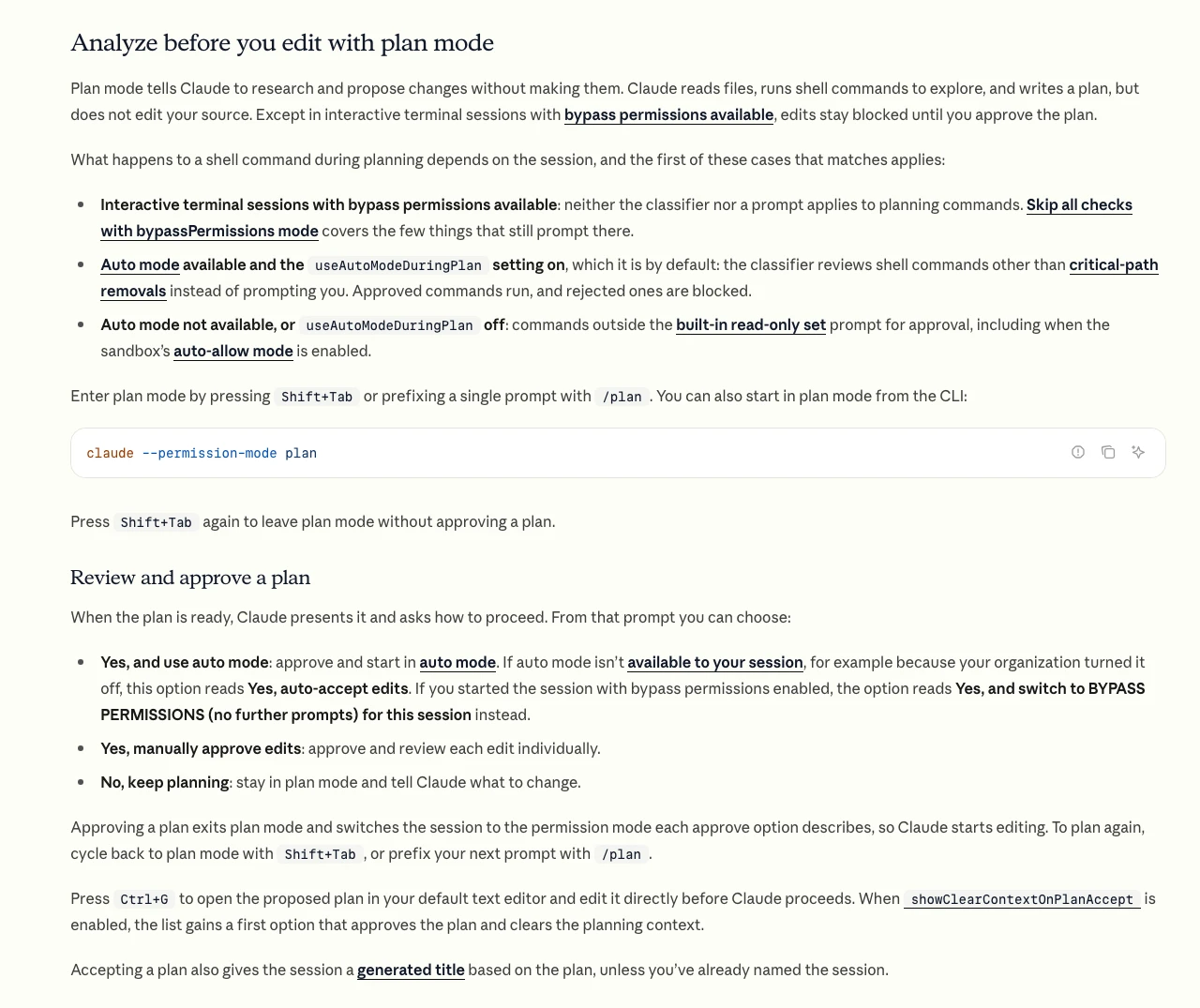
Anthropic's permission modes page puts it plainly. Claude reads files, runs shell commands to explore, and writes a plan, but it does not edit your source. Edits stay blocked until you approve the plan.
That second part has one exception people miss. In an interactive terminal session started with bypass permissions available, the same page says a file edit or shell command Claude tries during planning runs without a prompt. Plan mode there is a request, not a lock.
What happens to shell commands depends on your setup.
| Your session | What a shell command does in plan mode |
|---|---|
| Auto mode available, default settings | A safety classifier reviews it. Approved commands run, rejected ones are blocked |
Auto mode off, or useAutoModeDuringPlan set to false | Anything outside the built-in read-only set asks you first |
| Started with bypass permissions available | No classifier and no prompt. Claude is only told not to edit |
Headless claude -p run | Plan mode keeps its blocks |
The useAutoModeDuringPlan setting can only be turned off in your user, local or managed settings, per the settings reference. A repo you clone can't switch it off for you.
How to Turn It On in 2026
There are four ways in. Pick the one that matches how often you plan.
- Mid-session. Press Shift+Tab until the status bar shows
⏸ plan mode on. Since Claude Code v2.1.283, interactive sessions start in auto mode. From auto, the cycle goes manual, accept edits, then plan. That's three presses, not two. - One prompt only. Put
/planin front of a single message. Once you approve, the session moves to whichever mode your approval choice names. - From the start. Run
claude --permission-mode plan. The same flag works with-pfor scripts. - As a project default. Set
defaultModetoplanunderpermissionsin the project's.claude/settings.json. The VS Code extension ignores that file for its starting mode. SetclaudeCode.initialPermissionModetoplanin your VS Code user settings instead.
Press Shift+Tab again to leave plan mode without approving anything.
What Happens When the Plan Is Ready
Claude shows the plan and asks how to go on. The docs list three choices.
- Yes, and use auto mode. Approve and let Claude work. If auto mode isn't available, this reads Yes, auto-accept edits.
- Yes, manually approve edits. Approve, then review each edit one at a time.
- No, keep planning. Stay in plan mode and say what to change.
Turn on showClearContextOnPlanAccept and a fourth choice appears at the top. It approves the plan, clears the conversation and starts building from the plan alone. The settings reference says it also shows how much of your context the planning used. On a long research session, that fresh start is often the better pick.
Plans are saved as Markdown files in ~/.claude/plans by default. Set plansDirectory to a folder in your project if you want them in git next to the code.
We Ran the Same Task Both Ways
Most plan mode guides say planning saves time. None of the ones we found measured it. So we did, once, on a small job.
We built a tiny Python to-do list app with one test. The task was to add due dates, sort the list by date, flag overdue items and keep old files working. We ran Claude Code 2.1.310 headless on October 30, 2026, in two clean copies of the same repo.
- Route A. One run, straight to work, edits allowed.
- Route B. One run in plan mode, then a second run told to build the saved plan.
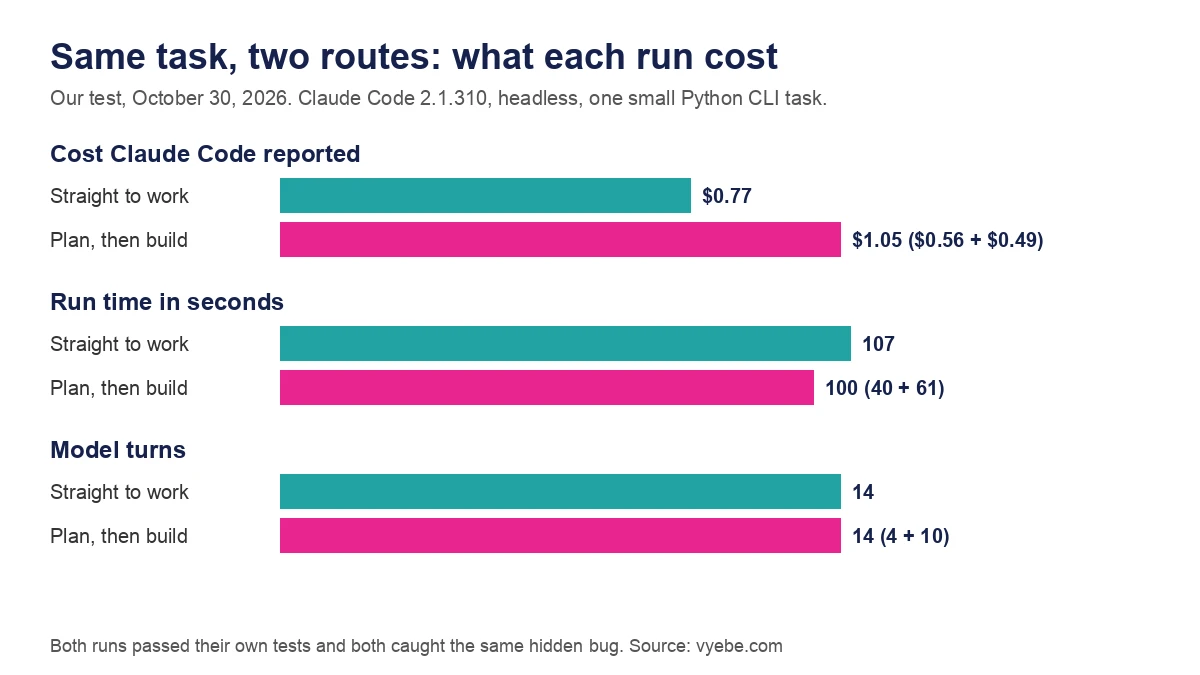
| Measure | Straight to work | Plan, then build |
|---|---|---|
| Cost Claude Code reported | $0.77 | $1.05 ($0.56 plan, $0.49 build) |
| Run time | 107 seconds | 100 seconds (40 plan, 61 build) |
| Model turns | 14 | 14 (4 plan, 10 build) |
| Output tokens | 8,330 | 9,205 (3,349 plan, 5,856 build) |
| Tests passing at the end | 11 | 9 |
All numbers are from Claude Code's own JSON output for each run. The plan route cost about 36% more. It also needed a person to read the plan in the middle, which the run time doesn't count.
The best part of the plan was a catch. Once the list is sorted, done 3 has to remove the third task shown, not the third line in the file. The plan flagged that as a change we didn't ask for but would need. Route A caught the same bug without a plan, and wrote a comment saying so.
One run on one task proves little about big projects. It does show that a capable model already thinks before it edits. On small work, a plan mostly buys you a document to read.
What Plan Mode Did in a Headless Run
In the -p run, Claude wrote the plan to ~/.claude/plans and stopped. It told us it couldn't hand the plan over for approval, because that step isn't available outside an interactive session. Nothing in the repo changed. For scripts, that's useful. You get a plan file you can review, then feed it to a second run.
When to Plan and When to Skip It
Anthropic's own advice has moved. The current best practices page doesn't mention plan mode at all. It says a new session already starts in auto mode, delegates to subagents and compacts itself. For a fuzzy idea it suggests asking Claude to interview you and write a SPEC.md, then building it in a fresh session.
| Situation | Plan mode? | Why |
|---|---|---|
| A one-line fix, a typo, a rename | Skip | The plan is longer than the change |
| A clear task in code you know | Usually skip | Our test cost 36% more for the same result |
| A change across many files | Use it | You want to see every file it will touch first |
| Code you've never read | Use it | Exploring without edits is safe and cheap to stop |
| Database, auth or payment code | Use it | You need to approve the approach, not just the diff |
| You don't know what you want yet | Interview, then spec | A plan of a vague idea is still vague |
| Long research before a build | Use it, then clear context | Start the build clean from the plan |
If you plan often, try the opusplan model setting. The model configuration docs say it uses Opus in plan mode and switches to Sonnet to build. That puts the stronger model on the thinking and the cheaper one on the typing.
New to the tool? Our first-day Claude Code walkthrough shows plan mode in a full session. Our Claude Code pricing guide covers what each plan gives you before you start spending on plans.
Bad Advice We Keep Seeing
"Press Shift+Tab twice." That was true when sessions started in manual mode. Since v2.1.283 they start in auto, and the permission modes page says the first press from auto goes to manual. Watch the status bar instead of counting.
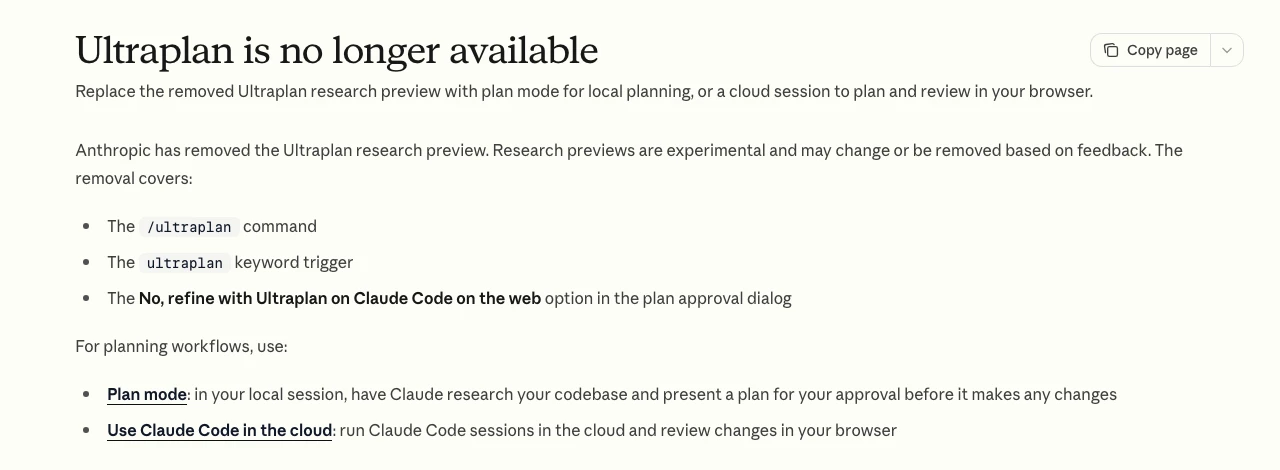
"Refine your plan with Ultraplan." Anthropic removed it. The Ultraplan page now says the command, the keyword trigger and the approval option are all gone.
"Plan mode is read only, so it's safe anywhere." It isn't fully read only. It runs shell commands to explore, and with bypass permissions available it won't stop an edit at all. Run it on a branch you can throw away.
"Plan mode is dead." A post that ranks for this search says Anthropic insiders called it outdated, but it links no source for the claim. The docs still document it in full, and still point Ultraplan users back to it. Plan mode isn't dead. It's just no longer the default answer to every task.
"Always plan first." You pay for that habit on every small change. Plan when you'd change the plan.
Still Wondering?
- What is plan mode in Claude Code?
It's a permission mode where Claude reads your code, runs commands to explore and writes a plan, but doesn't edit your files until you approve. The status bar shows
⏸ plan mode onwhile it's active.- How do I turn on plan mode in Claude Code?
Press Shift+Tab until the status bar shows plan mode, type
/planbefore one message, or start withclaude --permission-mode plan. To make it the default, setdefaultModetoplanin.claude/settings.json.- How do I exit plan mode?
Approve the plan and Claude switches to the mode you picked. To leave without approving, press Shift+Tab again.
- Where does Claude Code save plans?
In
~/.claude/plansas Markdown files, unless you setplansDirectoryin your settings to a path in your project.- Can I edit the plan before Claude starts?
Yes. Press Ctrl+G to open the plan in your default text editor. Change it, save, and then approve.
- Does plan mode use more tokens?
It can. In our one-task test the plan route cost $1.05 against $0.77 going straight to work. On a big or unclear change, a plan can still save money by stopping a wrong build early.
- What is opusplan?
A model setting that uses Opus while you're in plan mode and Sonnet once you approve and it starts building. Set it with
/model opusplan.
Like this guide? Add Vyebe as a preferred source on Google and see more of our posts when you search.
The Paper Trail
- Claude Code docs, Permission modes, plan mode behavior, the Shift+Tab cycle, approval options, Ctrl+G and the auto mode default, accessed October 2026
- Claude Code docs, Settings reference,
plansDirectory,showClearContextOnPlanAcceptanduseAutoModeDuringPlan, accessed October 2026 - Claude Code docs, Common workflows, the plan before editing recipe and status bar indicator, accessed October 2026
- Claude Code docs, Best practices, session defaults and the interview then spec method, accessed October 2026
- Claude Code docs, Model configuration, the
opusplanmodel alias, accessed October 2026 - Claude Code docs, Ultraplan is no longer available, the removal notice, accessed October 2026
- Vyebe test runs, Claude Code 2.1.310 headless, one task run two ways, October 2026
Stalled somewhere in here?
Send us the project and what's blocking you. You'll get a straight read on what's actually wrong, including if it's something you can fix yourself.
Tell us what happenedWorth Reading
Everything Claude Code Is Now ECC, With 311 Skills Inside
Everything Claude Code, now ECC, packs 311 skills, 71 agents and 27 hooks. What is in the repo, what it costs your context, and how to install just what you need.
Getting StartedIs Claude Code Free? No, but 4 Routes Cost Almost Nothing
Claude Code is free to install but not free to run. The free Claude plan leaves it out. Four real ways to use it for little or nothing, and the trap to skip.